Self-service portal branding: change your logo, colours and images in seconds
A new Images section in Theme lets you upload your own logo and visuals, tweak colours and buttons, and preview the result on mobile and desktop before saving.
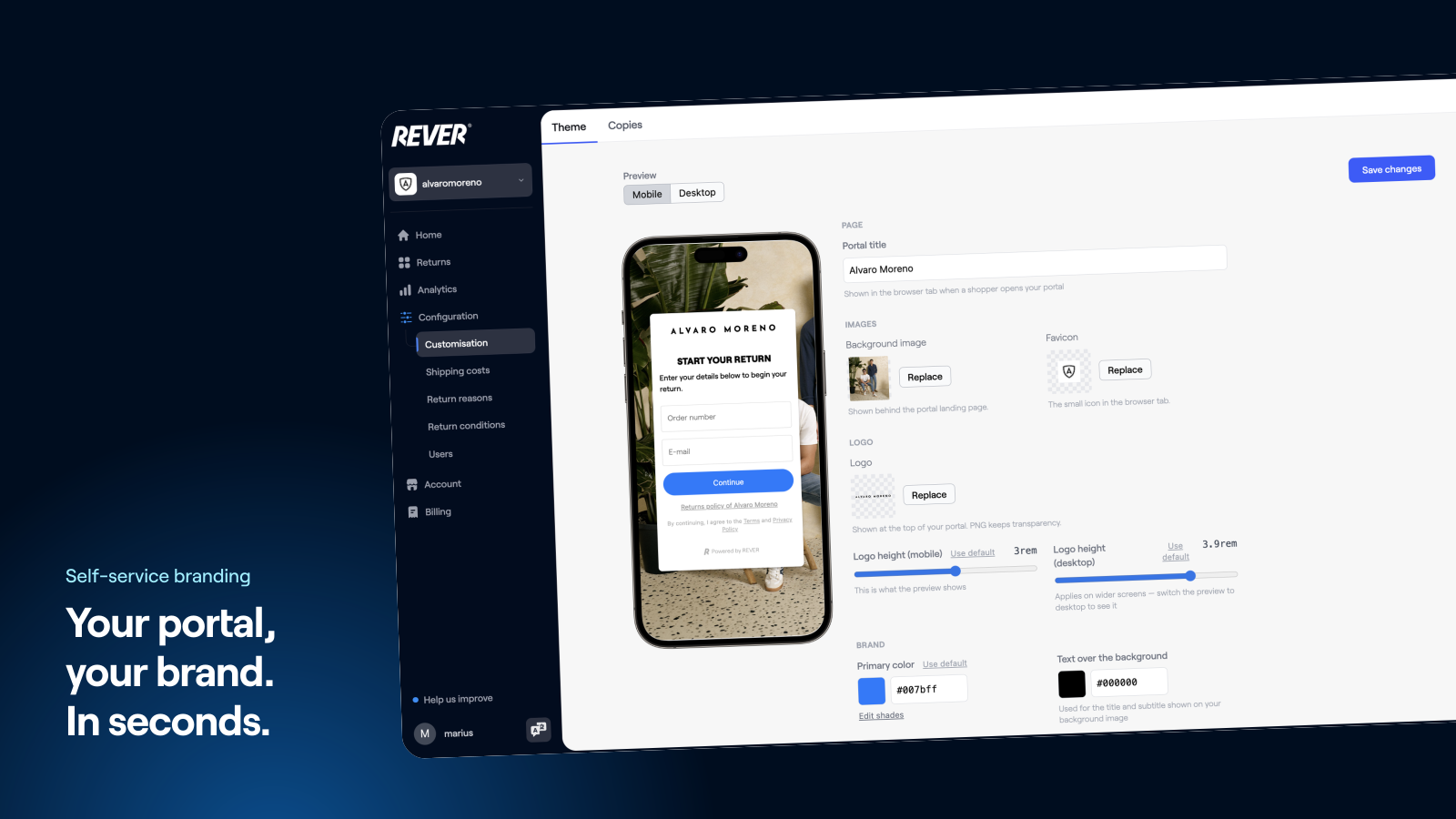
"Can you change our logo?" has been one of the most common requests we receive. Until now it meant someone at REVER doing it by hand. Now it's a button.
Introducing: self-service theme and branding
How does it work?
Go to Configuration → Customisation → Theme. You'll find a new Images section alongside colours, sizes and buttons, each showing what's currently live on your returns portal. Pick a new logo or image and the portal preview updates the moment you choose it.
Can I check it before it goes live?
Yes. You can preview your changes on mobile and desktop before committing to anything. Nothing is uploaded until you press Save changes, so picking a file and changing your mind costs nothing.
What else changed?
Theme and copy settings now live together under a new Customisation menu entry, so everything about how your portal looks and reads is in one place.
What does this mean for me?
You can rebrand your returns portal in about ten seconds, for a seasonal campaign, a new collection or a full rebrand, without waiting on anyone.
Available now for all merchants. If you need a hand, just let us know.