REVER AI in the Dashboard: edit shipping costs by just saying what you want
A new REVER AI panel in your dashboard reads the screen you're on. First use case: ask about or rewrite your shipping-cost rules in plain language, in any language.
Today we are announcing the first step of something we've been building for a while: REVER AI, inside your Dashboard.
Introducing: REVER AI for shipping costs
How does it work?
A new button in the corner of your dashboard opens REVER AI. The panel opens beside your screen, not on top of it, and it sees what you're looking at, so you never have to explain the context. The conversation stays with you while you keep working.
What can I do with it today?
The first use case is shipping costs. Go to Configuration → Shipping and:
- Ask "what would a return from Portugal cost?" and it tells you the price and which of your rules decided it
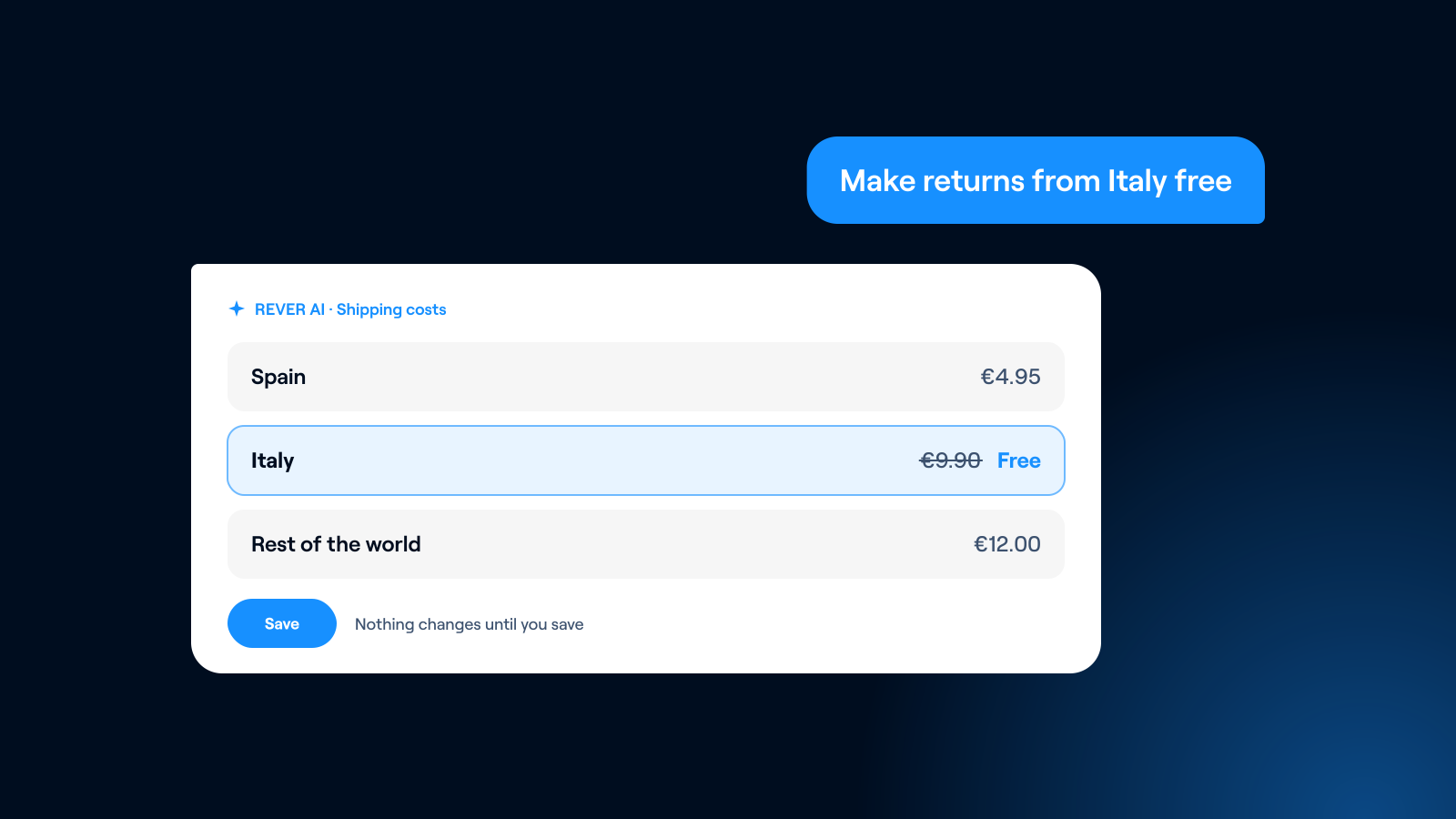
- Say "make returns from Italy free" and it rewrites your rules right there, highlighting everything it touched
It works in any language.
Is it safe to try?
Completely. Nothing is saved until you press Save, so asking, exploring and changing your mind costs you nothing.
What's next?
This is the first screen you can configure by simply saying what you want, and it's only use case number one. More screens are coming very soon.
If you need more information, just let us know and we'll be happy to help.