Return timeline: every step of a return, and who did it, in one place
Every return in your Dashboard now has a timeline: each step, who did it, warnings when you need to act, useful links and notes for your team, all in one place.
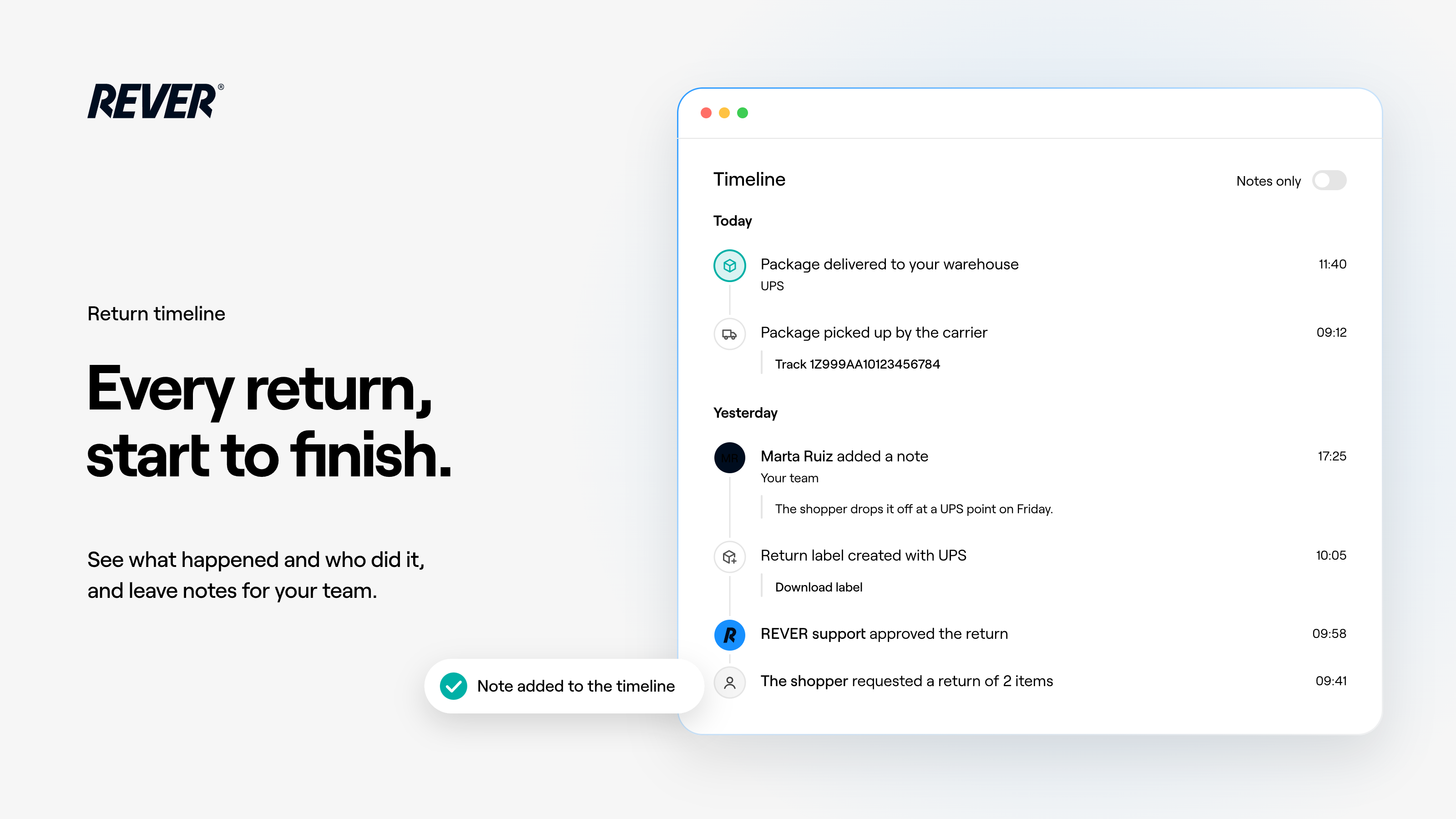
I'm happy to share something that makes every return much easier to follow: you can now see everything that happened to it in one place.
Introducing: Return timeline
What's new?
Every return in your Dashboard now has a timeline, newest first and grouped by day.
- Every step: request, approval, label, pickup, delivery to your warehouse, review, restock, exchange and refund.
- Who did it: the shopper, your team (with the person's name), REVER support or an automatic action.
- Warnings in red when you may need to act: a failed refund, a pickup that couldn't be booked, a shipping problem.
- Useful links in each event: track the parcel, download the label, open the exchange order in Shopify, see the support ticket.
- Review outcomes per item: which items were approved, declined or missing.
Can my team leave notes?
Yes. Your team can leave notes on a return for each other. Shoppers never see them, and REVER's internal notes stay internal.
When can I use it?
It's available today, in all 7 Dashboard languages. Open any return in Dashboard → Returns to see its timeline. If you have any questions or ideas, just let us know.