Non-returnable items: choose what customers can't return, from the Dashboard
Decide which products customers can't return, straight from the Dashboard. On Shopify you pick products, collections, product types and tags from your own catalog; every other platform gets the same tab with simple lists.
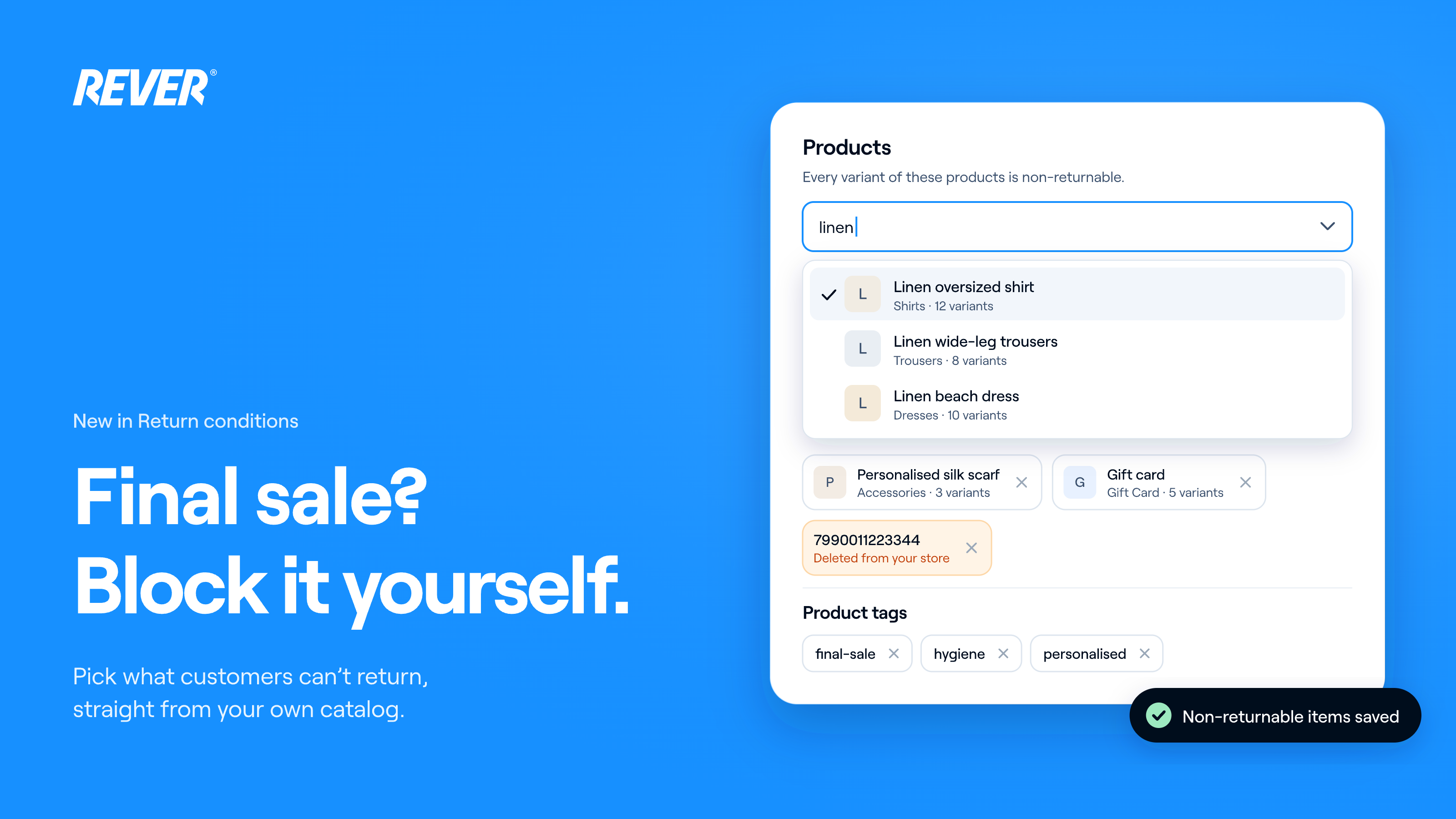
One of the things you've asked us for the most is here. Until now, blocking a product or a category from returns, for example before a sale, meant asking the REVER team, and an ID typed by hand could silently match nothing. From today, you set it yourself.
Introducing: Non-returnable items in the Dashboard
How does it work?
Go to Configuration → Conditions → Non-returnable items and add the rules you need. An item is non-returnable if it matches any of them.
What can I block on Shopify?
- Products, collections, product types and product tags: search them by name and pick them from your own catalog, with images, variants and product counts.
- Order tags: block every item in orders with a given tag, for example "wholesale".
What if a rule no longer matches anything?
Saved rules for a deleted product or collection, or a tag written with different capital letters, show up in orange, so you can clean them up.
What about other platforms?
WooCommerce, PrestaShop, Shopware, Salesforce, Magento 2, Commerce Layer and custom integrations get the same tab with simple lists you fill in. Each platform only shows the lists it actually checks, with the right identifier: Shopware product numbers, Commerce Layer SKU codes, PrestaShop and Shopware tag IDs.
What else should I know?
- New returns only: rules apply to returns started after you save. Returns already in progress aren't affected.
- Per store: rules are set per store. If you manage a group, pick the store in the selector first.
- Read-only users can see the rules but can't change them.
- Brand rules are still set by the REVER team.
When can I use it?
It's live today in your Dashboard. If you have questions, just let us know.