Cancel an exchange, or turn it into a refund, from the Dashboard
Cancel a return with an exchange and REVER cancels the exchange order in your store too. If the exchange hasn't shipped yet, you can switch it to a refund to the original payment method.
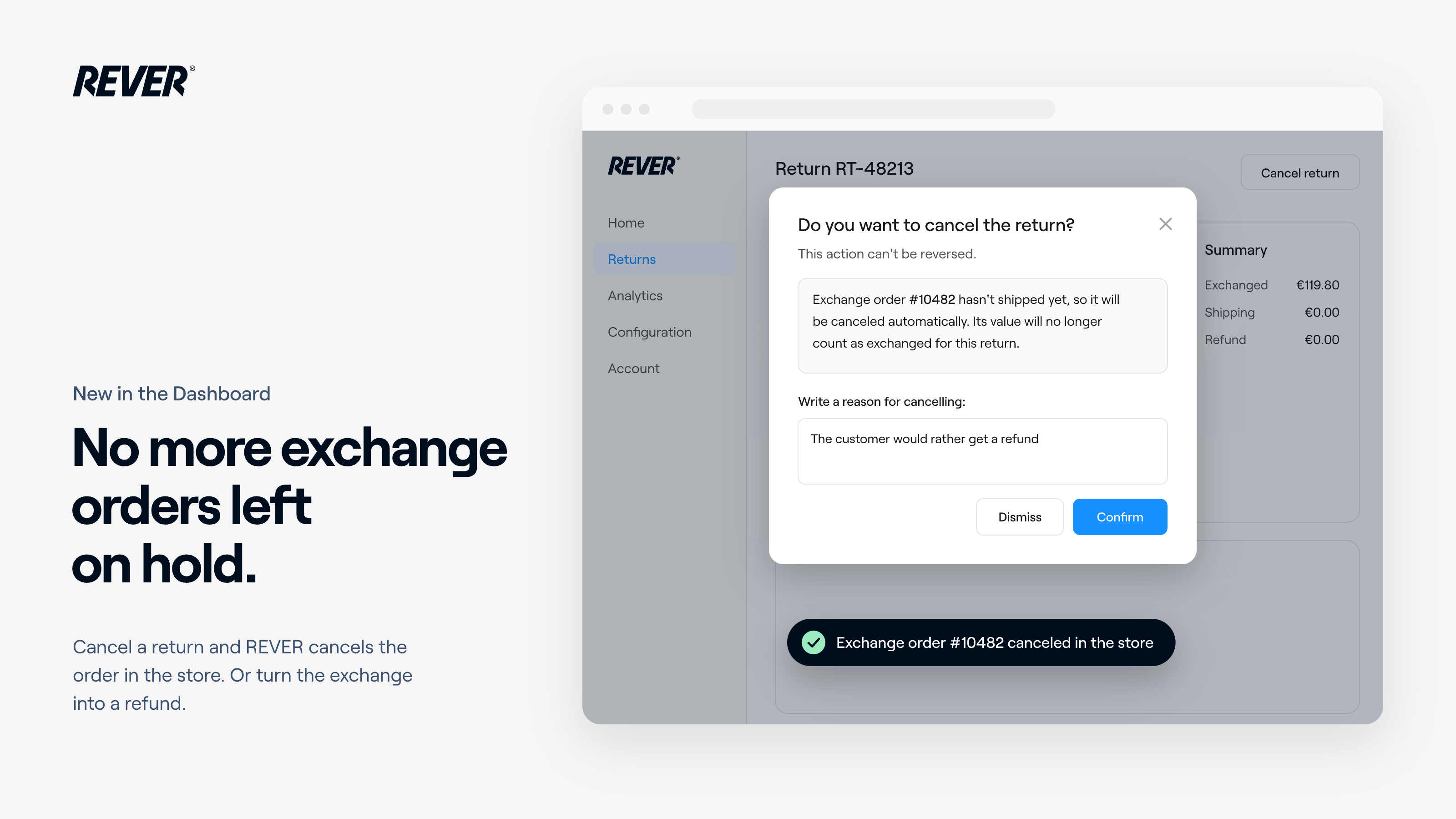
I'm very happy to share that, from today, canceling a return with an exchange also cleans up your store.
Introducing: Cancel an exchange, or turn it into a refund
What changes?
Until now, when you canceled a return with an exchange, the exchange order stayed on hold in your store and you had to clean it up by hand. Now REVER does it for you.
- Cancel cleans up the store: REVER cancels the exchange order on your platform, the items go back to stock and the exchange is reversed. If the shopper paid a price difference, it is refunded.
- Know before you confirm: the cancel dialog tells you what will happen: the order will be canceled, it has already shipped (fully or partly) and stays as it is, or your platform doesn't support it.
- From exchange to original payment method: while the return is still open and the exchange order hasn't shipped, change the refund method from Edit refund. REVER cancels the exchange order, suggests the refund amount (you can edit it) and the usual refund flow takes over. A price difference paid at checkout goes back to the shopper's card.
What should I keep in mind?
- Shipped orders are never touched: if any unit has shipped, REVER leaves the order alone and the change to a refund isn't offered.
- Held exchanges only: exchange orders sent when the return started have already gone out, so REVER doesn't cancel them. The dialog says so.
- When the refund option is offered: only on returns that are still open and can be refunded to the original payment method. If a gift card or promo code was already issued, or the return uses an open exchange, it isn't offered.
- No new emails: the shopper gets the usual refund email. On PrestaShop, your store sends its own "order canceled" email unless you've turned it off.
When can I use it?
It's available today on Shopify, Magento 2, WooCommerce, PrestaShop, Salesforce and custom integration v2. Open a return with an exchange in Dashboard → Returns and use Cancel return or Edit refund.
If you have any questions, just let us know.