Scopes for API keys: give each key only the access it needs
When you create an API key in the Dashboard, you now choose exactly what it can do, with scopes grouped by Returns, Logistics, Analytics, Store settings and Credentials. Existing keys keep full access.
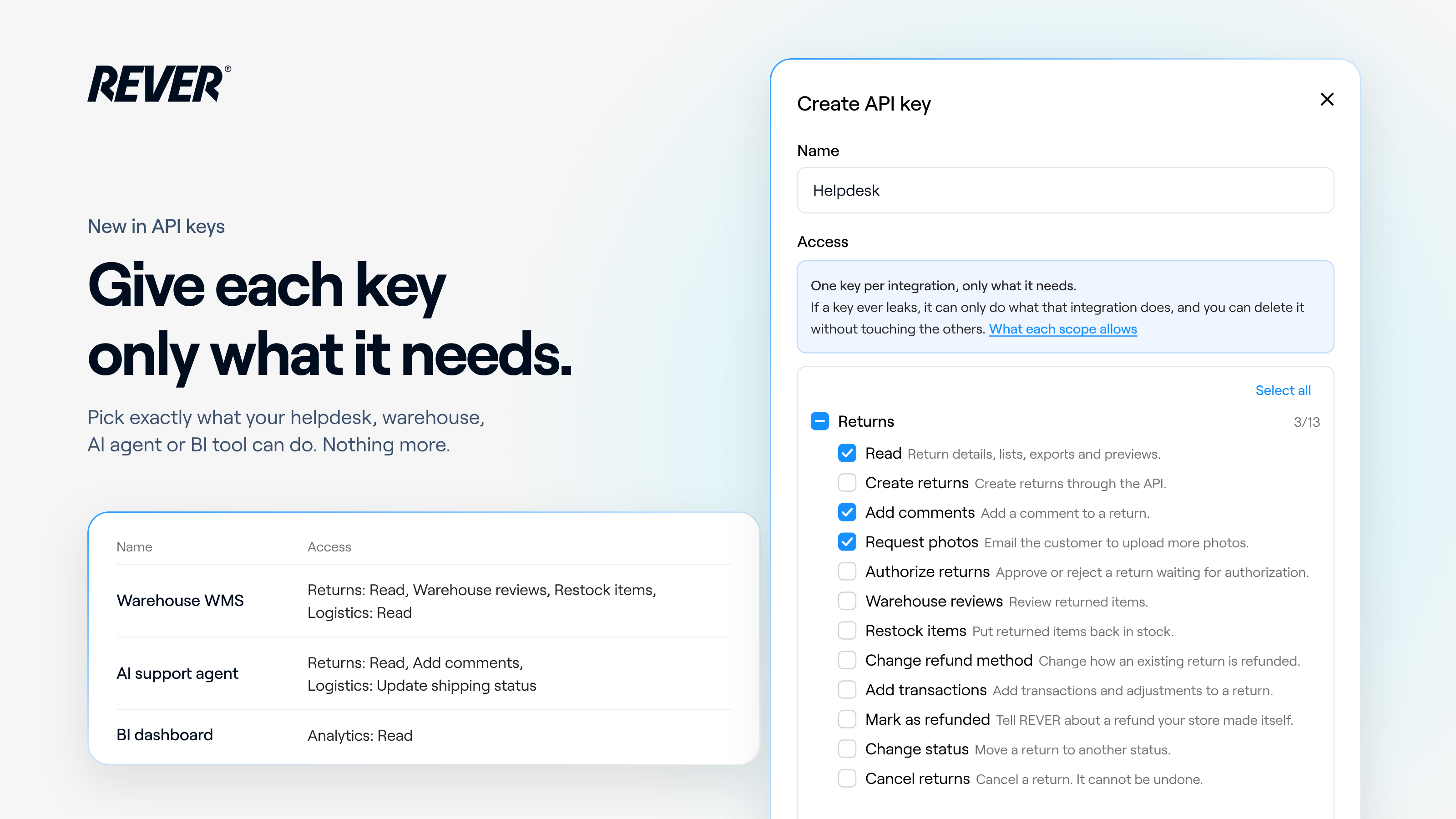
I'm happy to share an update to the API keys you create in the Dashboard. Until today, every new key got full access. From now on, you choose exactly what each key can do when you create it.
Introducing: Scopes for API keys
How does it work?
When you create a key in Account → Integrations → API keys, you pick its scopes. They're grouped so you find them quickly:
- Returns: from reading returns and adding comments to authorizing, reviewing, changing the refund method or cancelling them.
- Logistics: orders, pickups, labels, shipping status and carriers.
- Analytics: return rates, reports and sizing insights.
- Store settings: return and exchange conditions, branding, warehouses and workflows.
- Credentials: your platform and carrier credentials, marked as sensitive.
Each group has its own checkbox, and Select all ticks every scope at once. Not sure what a scope does? What each scope allows, right in the form, opens a guide that explains every scope and lists its endpoints.
Why does it matter?
Each tool gets only what it needs: your helpdesk can read returns and add comments, your BI dashboard can read analytics, and nothing more. We recommend one key per integration, so if a key ever leaks, it can only do what that integration does, and you can delete it without touching the others. A call outside a key's scopes is refused, with a message that names the missing scope.
What else should I know?
- Existing keys keep full access: the integrations you already have keep working as they are.
- Scopes can't be edited: to change them, create a new key with the right scopes and delete the old one.
- No full access from the Dashboard: Select all grants every scope offered there. Full-access keys can only be issued by REVER.
When can I use it?
It's live today, for every new key you create. If you have questions, just let us know.